Dental dictation software for dentists
Finish the note before the next patient.
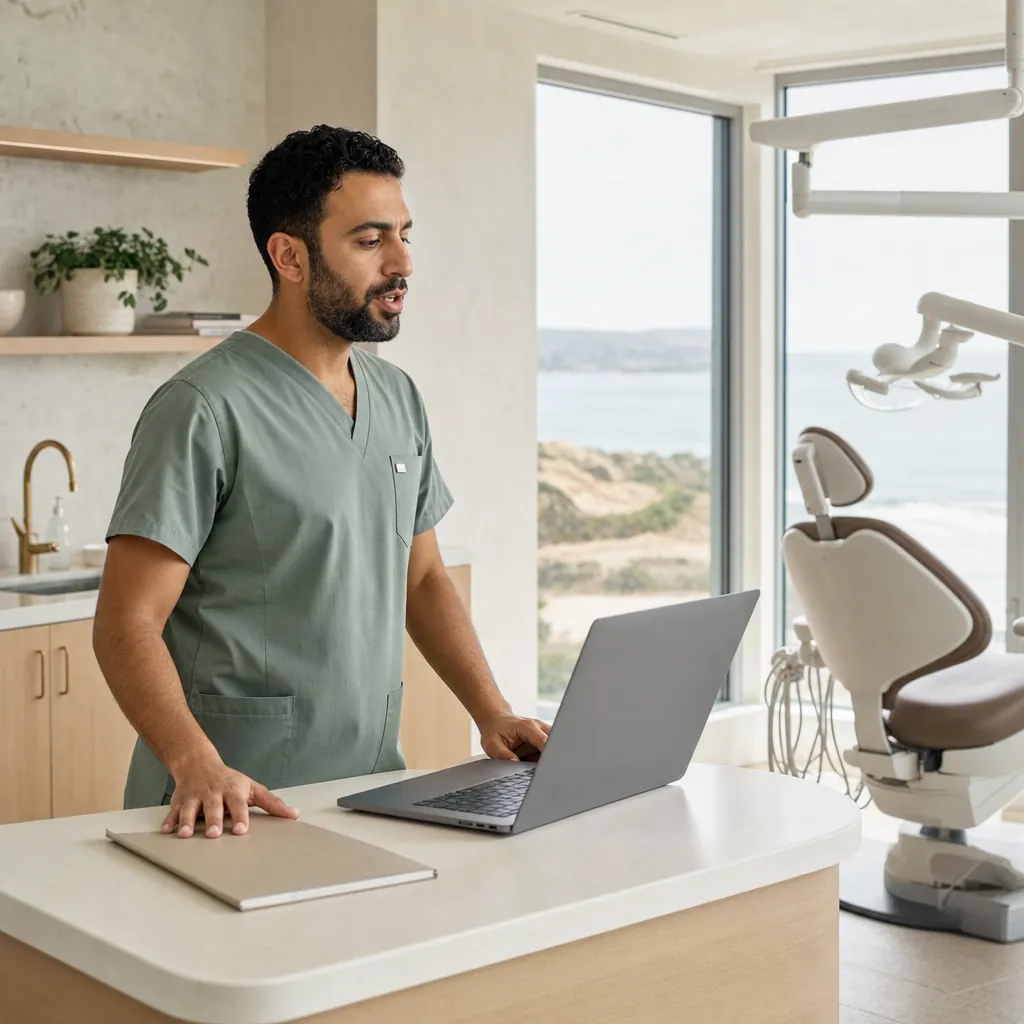
Place your cursor in the patient record and dictate the clinical note as soon as the appointment ends. Choose Cloud for no-download speed or local processing for sensitive and offline work.


Downloaded by 150k+ users
What slows clinical notes
The appointment is done. The chart still needs writing.
You need the details while they are fresh, a mode that fits the setting, and text ready to review before you sign.
Notes written after the patient has gone.
A full schedule leaves charting for the gap between patients or the end of the day. Dictate while the treatment details are still clear, then review the text before it enters the record.
Procedure names that need checking.
Tooth numbers, materials and procedure names are easy to mistype under time pressure. Add your practice vocabulary to the custom dictionary, then review the dictated note.
A local path for sensitive or offline work.
For device-only processing or without a dependable connection, use a local transcription model. Your device processes the recording, so you can keep working where the signal does not reach.
A quick setup should still be a choice.
When speed matters most, Cloud avoids a local model download and discards transcription audio immediately after transcription.
What you get
Clinical notes, ready to review before the next patient.
Cloud transcribes without a model download. A local model is available for sensitive or offline work.
Cloud transcription without a local model download
Dictate an exam, treatment or follow-up note into your microphone. Cloud transcribes without a local model download, then discards transcription audio immediately.
Local processing for sensitive and offline work
Choose a local model when device-only processing or an offline day is the right fit. Review the editable text before you add it to the patient chart.
Dictation wherever your cursor is
Press a hotkey and dictate into a dental chart, email or document. Clean, punctuated text lands where you are already working.
Sensitive audio sent to us
None
in local mode, transcription never leaves your device
Local dictation
$0
unlimited local AI models on every plan
Languages supported
100+
on every plan
How it works
A clinical note transcribed before the next patient.
Start free. Cloud transcribes without a local model download, while a local model is available for sensitive and offline work. Review the text before the next appointment.

Download for free.
Mac, Windows or Linux. Use Cloud without a local model download, or use a local model for sensitive and offline work.
Dictate the note.
Speak the clinical note, and OpenWhispr transcribes it into editable text.
Review and add to the chart.
Check the text, paste it into your dental software, and record it using your practice process.
Reasons to choose
10 reasons OpenWhispr fits dental dictation
A dental dictation workflow needs speed, review and a practical choice of processing mode. Here are the product facts.
Unlimited local models at no cost
Every plan includes unlimited local AI models, so local speech-to-text stays free.
Cloud audio is never stored
OpenWhispr Cloud receives audio to transcribe it, then immediately discards it.
Local transcription works offline
Local models run entirely on your device with no internet required.
A custom dictionary for practice vocabulary
Add names, jargon and acronyms so the transcript can better reflect the words your practice uses.
Dictate into the active field
Use the desktop app to dictate where your cursor is, whether that is a chart field, email or document.
100+ languages supported
Every plan supports transcription in more than 100 languages.
Start with 2,000 Cloud words each week
The Free plan includes 2,000 words of OpenWhispr Cloud transcription per week.
Use your own API keys
Every plan supports your own OpenAI, Anthropic, Gemini or Groq API keys for unlimited cloud transcription.
Upgrade for unlimited Cloud transcription
Pro includes unlimited OpenWhispr Cloud transcription, plus sync, mobile and API/MCP access.
Open source under MIT
OpenWhispr is open source, so your technical team can inspect the software.
Before you download
The questions dentists ask first.
Straight answers on clinical notes, processing modes, cost and workflow.
Does audio ever leave my device?
Can I use this for dental clinical notes?
Can it handle dental terminology?
Will it work without internet?
Does it write the clinical record for me?
What do I get by upgrading?
What users say
Voice input that earns a place in the workflow.
Real OpenWhispr user reviews.
0
Audio retained after Cloud transcription
Cloud audio is sent to transcribe it, then immediately discarded. Local transcription stays on your device.
Started using OpenWhispr with my local models and hardware. I have to say, this is better than typing.
I switched to voice input for my Claude Code chats. Even when I stumble and rephrase mid-sentence, the transcription comes out clean and polished.
I needed a local model for when I'm travelling or have no WiFi, and this perfectly solves it. The UI and performance are great.
Pricing
Start at $0.
Upgrade when you want more.
FreePopular $0Unlimited local AI models | Pro $6.67/user/mo$80/user billed annually Start with Pro | Business $13.33/user/mo$160/user billed annually Start with Business | |
|---|---|---|---|
| Best for | Clinicians who want local dictation and limited Cloud transcription | Clinicians who want unlimited Cloud transcription plus mobile, sync, and API/MCP access | Teams that need Agent mode, chat over data, and unlimited meeting recordings |
| Main reason to choose | Useful Free access, including local dictation and limited Cloud transcription | Unlimited Cloud transcription plus mobile, sync, and API/MCP access | Unlimited meeting recordings plus Agent mode and chat over data |
| Offline speech-to-textOffline speech-to-text runs entirely on your own device, it works without internet connection, and it's unlimited and free. | Included | Included | Included |
| Cloud speech-to-textCloud speech-to-text sends audio to OpenWhispr Cloud without local models to download, then the audio is never stored. | 2,000 words/week via OpenWhispr Cloud, or unlimited using your own API keys | Unlimited OpenWhispr Cloud speech-to-text | Unlimited OpenWhispr Cloud speech-to-text |
| Meeting recordings | 5 hours/month | 20 hours/month | Unlimited |
| Privacy & data handling | Offline audio stays on your device. Cloud audio is sent only to transcribe it, then never stored. | Offline audio stays on your device. Cloud audio is sent only to transcribe it, then never stored. | Offline audio stays on your device. Cloud audio is sent only to transcribe it, then never stored. |
| Setup experience | Hands-on: install app, choose local models, optionally add API keys | Easy: install app, upgrade, use unlimited cloud speech-to-text | Moderate: configure users, Agent mode, and data workflows |
| Advanced features |
|
|
|
| Team management | None | None | Basic team / workflow use |
| Support | Community support | Email support | Priority support |
Need SSO, compliance features, admin controls, or dedicated support for a larger team?
We also offer a custom Enterprise plan with managed onboarding and tailored features.
Talk to us
Built in the open
Dictation software for the work between appointments.
OpenWhispr helps dentists turn spoken clinical notes into editable text, so the details are ready to review while the appointment is still fresh.
It is built for people who want practical control over their workflow, whether you work alone or with a whole dental team.
And if anything breaks, you talk to the people who built it, in Discord.
Free · open source · local-first
Dictate the note. Review the text. Move to the next patient.
Download OpenWhispr for free and turn spoken clinical notes into editable text with Cloud or local processing.
Download for freeDownload for Mac, Windows or Linux. If you need help, ask us in Discord.